
Why a paper DU sheet causes shortages
On most petrol pumps the dispensing unit (DU) sheet is still a register or a loose page. The filler writes the opening reading, the manager writes the closing reading at the end of the shift, and someone works out the litres with a calculator. When the cash comes up short, nobody can say whether the reading was wrong, the rate was wrong, or the money was never collected.
Petronix turns the DU sheet into a short form on the filler’s phone. Each reading is saved with the time, the person who entered it and a photo of the meter, so there is always proof of what the totaliser showed.
How the DU sheet works in Petronix
- Start the shift. The filler opens the app and picks the DU and nozzles assigned to them for the day or night shift. The opening meter is filled in from the last approved closing reading.
- Enter the closing reading. At the end of the shift the filler types the closing meter for each nozzle and takes a photo. Petronix calculates the litres sold and multiplies them by the fuel rate in force on that date.
- Account for the money. The filler enters cash (with a note count by denomination), UPI payments by app, card and credit sales to khata customers. Petronix shows the difference between expected and collected amount straight away.
- Submit for approval. The sheet goes to the manager for checking and then to the owner for final approval. Once approved it is locked, so staff cannot change it later.
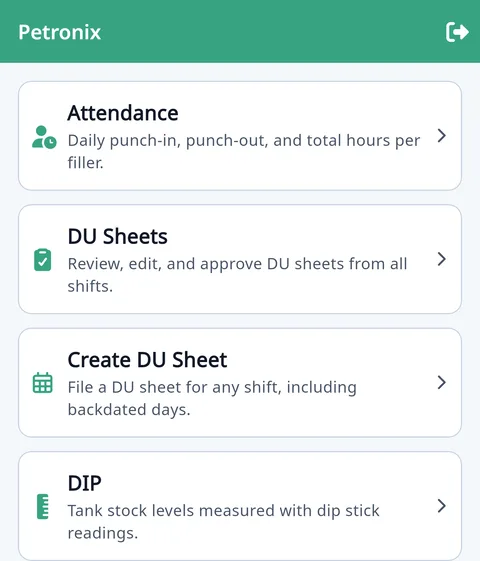
Nozzle reading app features
- Meter photos with every reading – no more arguments about what the totaliser showed.
- Automatic litres and amount – closing minus opening, times the rate for that date and fuel, including regular and bouzer rates.
- Opening meter lock – an owner setting stops anyone from editing the opening meter, so readings always continue from the last approved sheet.
- Day and night shifts – night-shift fillers can file the sheet for the date the shift started, and reports bucket sales into the right shift.
- Cash note count – denomination-wise count of ₹500, ₹200, ₹100 and smaller notes, so the cash total is never a guess.
- UPI by app – record PhonePe, Google Pay, Paytm and other UPI receipts separately and match them against your bank.
- Credit from the DU sheet – add khata (credit) entries for vehicles fuelled during the shift; they flow straight into the customer’s ledger.
- Short / excess per filler – every approved sheet updates the filler’s account, so you can see who is regularly short and settle it.
Approval flow: filler, manager, owner
Every DU sheet moves through clear statuses. A filler submits it, a manager or staff member checks it, and the owner gives final approval. Rejected sheets go back with a reason. Approved sheets count as cash collected in the cash book and update tank stock, so your reports always match what was actually approved.
Owners get a push notification when a sheet is waiting, and can approve from the phone or from the web admin panel.
Reports you get from DU sheets
- Daily sales register by nozzle, fuel and shift
- Litres and amount sold per filler, with short and excess
- Cash, UPI and credit totals per day, ready for the cash book
- DSR / DSSR register in your oil company’s format
- PDF and Excel exports, or share on WhatsApp
DU sheet data also drives the other modules: tank stock is reduced by litres sold, khata balances are updated with the credit entries, and the cash book and VAT reports pick up the approved totals.
Frequently asked questions
What is a DU sheet at a petrol pump?
A DU (dispensing unit) sheet records the opening and closing meter reading of each nozzle for a shift, the litres sold and the money collected against it. It is the main daily record of sales at a petrol pump.
Can a filler change a reading after the sheet is approved?
No. Once the owner approves a DU sheet it is locked. Only the owner can reopen it.
Does the app work for multiple DUs and nozzles?
Yes. You add every DU and nozzle with its fuel and tank once, and assign them to fillers by shift.
Can I see the meter photo later?
Yes. The photo is stored with the reading and can be opened from the DU sheet on the web or in the app.
What if the pump runs a night shift?
Night-shift sheets can be filed for the date the shift began, and reports keep day and night sales separate.